Net a Fish guide
Net a Fish Pets and Crates
Understand Ocean and Abyss Crates and avoid confusing a paid opening with a guaranteed reward.
Quick answer
The developer confirms that pets hatch from Ocean and Abyss Crates. Inspect the current crate contents, price and purchase prompt before opening.
Net a Fish Pets and Crates
Use current in-game values and confirmation text.
Identify which crate you are opening
Ocean and Abyss Crates are both named in the official description. The reviewed in-game Shop displays separate crate sections and a pet preview panel.
- Success check
- The crate label matches the intended crate type.
- If it remains unclear
- Match the crate label to the reward you want. A code that is advertised without reward details should not be assumed to grant either crate type.
Check the final purchase prompt
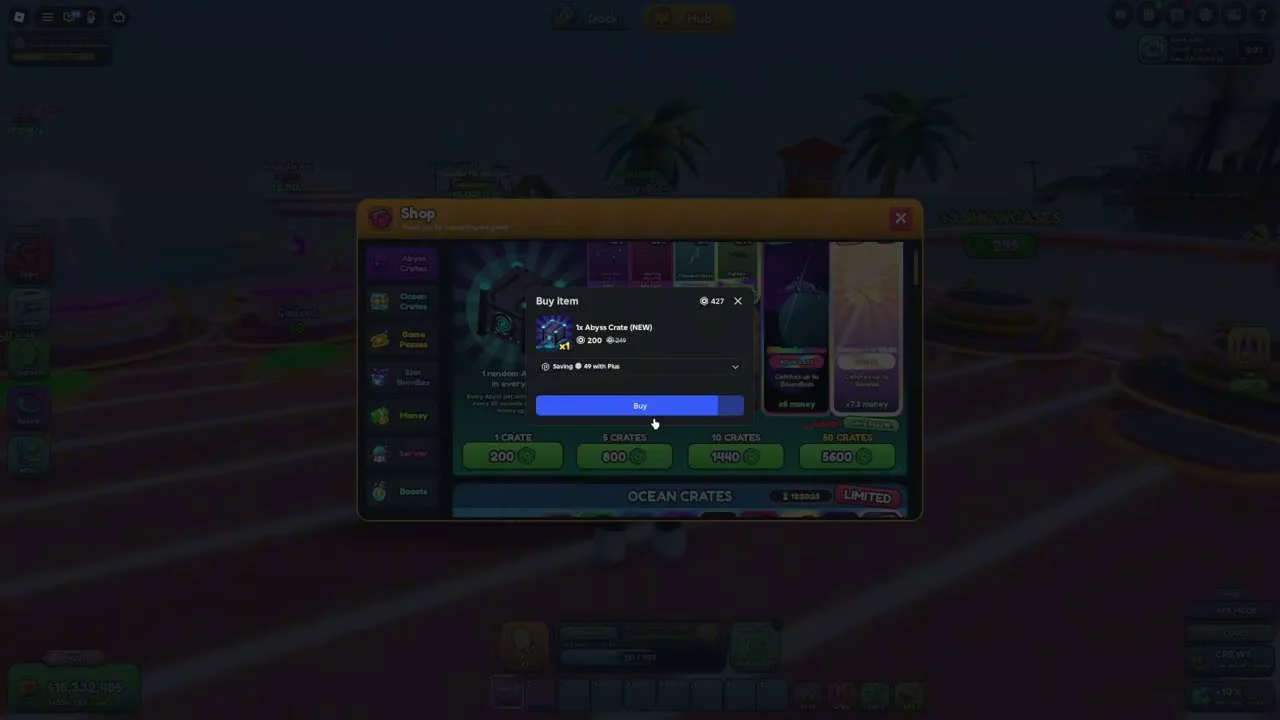
The video shows an Abyss Crate purchase opening a Roblox Buy Item dialog. This confirms that the observed opening is a paid transaction.
- Success check
- The item, quantity and live price match your intention.
- If it remains unclear
- Read the item, quantity and live price before confirming. Recorded sale prices and a creator’s luck bonuses do not establish today’s price or your result.
Review the pet after opening
Use the current inventory or pet interface to inspect what you received and which benefit it states. The Fish Cooler in the recording includes a Pets tab.
- Success check
- The received pet and its stated benefit are visible.
- If it remains unclear
- A complete pet roster, verified drop rates and measured best-pet ranking remain unconfirmed. This guide avoids claiming a guaranteed rare hatch from a small sample.
Scope and sources
Official description and reviewed gameplay checked November 4, 2026.
- For Net a Fish by UpdatesDev. Interfaces and balance can change with updates.