
Net a Fish guide
Fish Cooler and Pool Money Guide
Choose fish for recurring income and handle selling and auto-sell with care.
Quick answer
Use Cooler to compare income if placed, fill your pool with useful catches and collect its cash. Inspect auto-sell settings before letting catches be sold automatically.
Fish Cooler and Pool Money Guide
Use current in-game values and confirmation text.
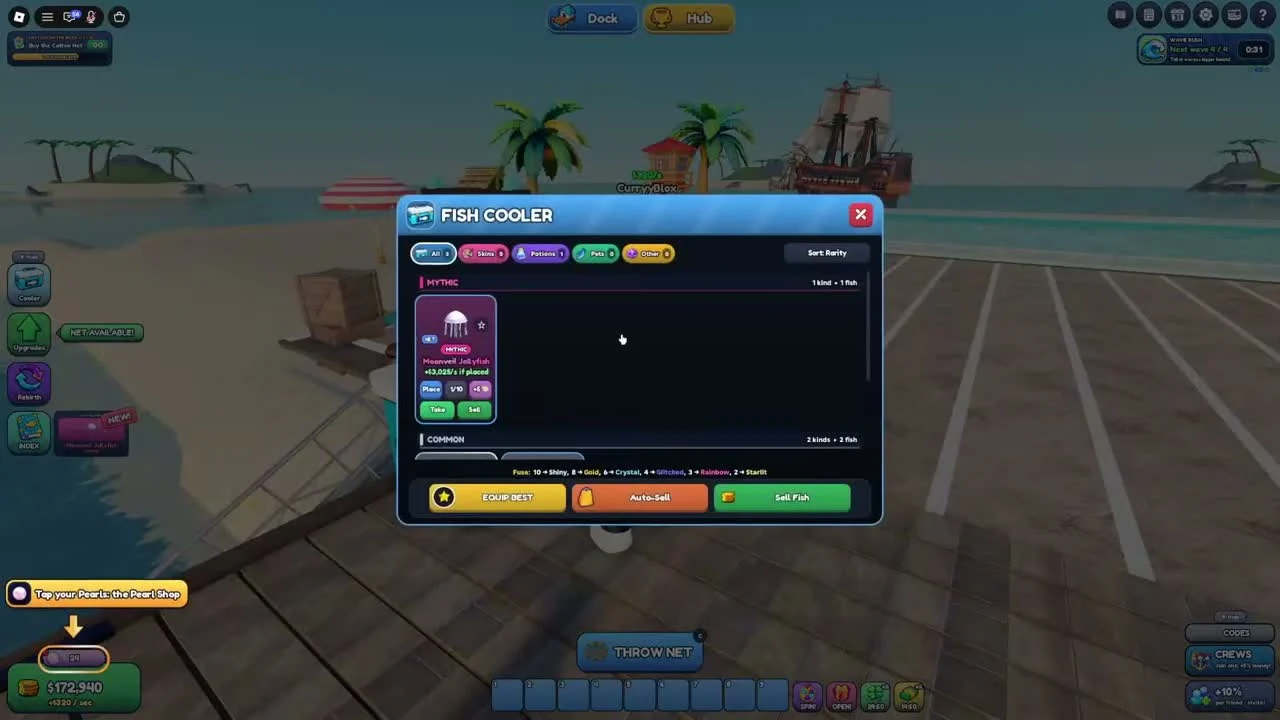
Compare income on the fish card
The reviewed Fish Cooler shows a Moonveil Jellyfish card with an income-if-placed line. Place, Take and Sell are distinct buttons, and an Equip Best option sits below the list.
- Success check
- You can identify each candidate’s income if placed.
- If it remains unclear
- Use the displayed income for the actual fish you have. Rarity alone does not supply a universal earnings table, especially when mutations and upgrades can change the result.
Collect the pool’s earnings
Watch the green Collect pad beside the pool. The recorded amount rises while fish are displayed; collect it when you need money for equipment.
- Success check
- Your cash balance reflects the collected amount.
- If it remains unclear
- Use your current income rate to judge affordability: divide an upgrade’s remaining cost by your displayed cash per second for a rough wait estimate. This estimate assumes the rate stays constant and excludes other rewards.
Check auto-sell before another cast
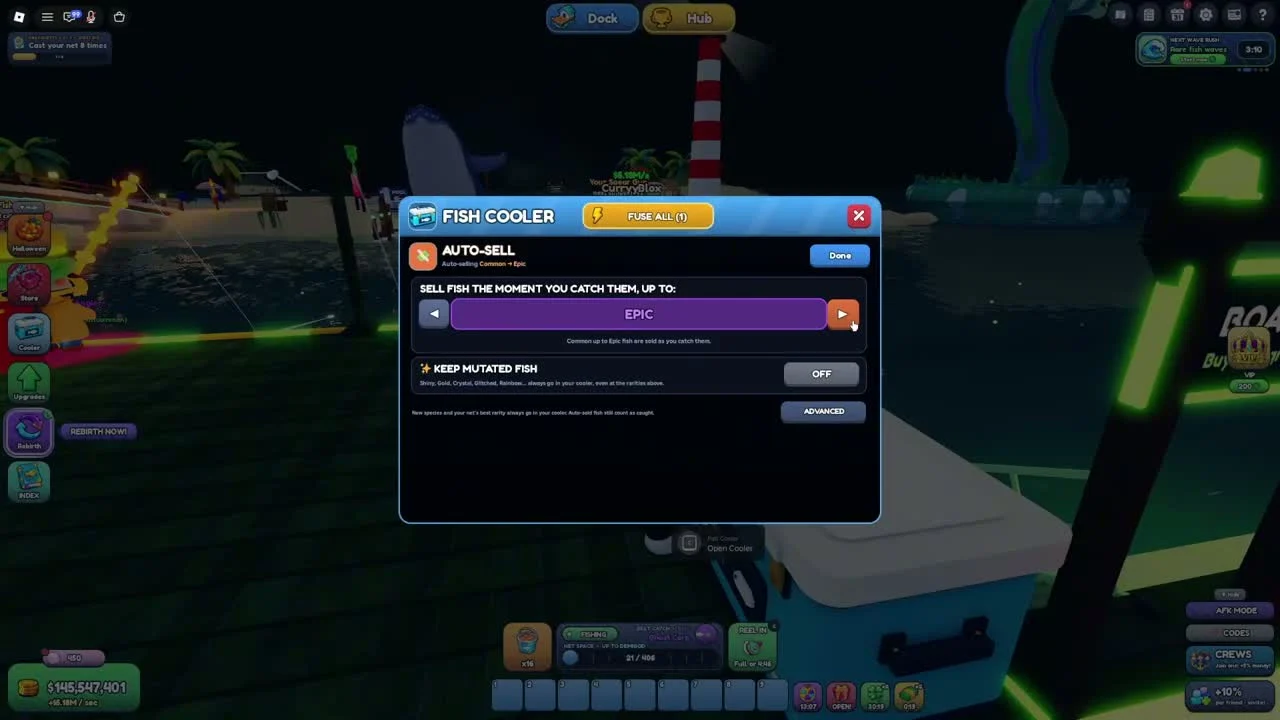
In Cooler, Auto-Sell opens a rarity threshold selector and a Keep Mutated Fish toggle. The recorded screen also states that new species and the best rarity sitting in the cooler are exempt from auto-sell.
- Success check
- The threshold and protection match the fish you intend to keep.
- If it remains unclear
- Choose a conservative threshold while learning. Enable the current mutation protection if you want to preserve those catches, and verify the settings after an upgrade. Auto-sold fish cannot be counted on as future pool replacements.
Keep fusion decisions separate
The cooler displays fusion information and a Fuse All control in the reviewed footage. Fusion uses multiple fish, so inspect the current recipe and selection before confirming.
- Success check
- The current recipe and selection are understood before confirming.
- If it remains unclear
- A complete tested fusion recipe table is still unavailable. This guide does not infer final mutation odds from the single recorded interface.
Scope and sources
Official description and reviewed gameplay checked November 4, 2026.
- For Net a Fish by UpdatesDev. Interfaces and balance can change with updates.