
Net a Fish guide
Net a Fish Beginner Guide
A practical first-session route through casting, reeling, the Fish Cooler and pool income.
Quick answer
Cast using Throw Net, follow the fishing progress display and Reel In, then open the Fish Cooler to choose catches for your pool.
Net a Fish Beginner Guide
Use current in-game values and confirmation text.
1. Cast and watch the net display
At your dock, use the Throw Net control at the bottom of the screen. The reviewed footage shows an active fishing panel with a fish counter, current rarity limit and a Reel In control.
- Success check
- Your catches appear in the cooler after reeling in.
- If it remains unclear
- Reel in to bring your catches into the Fish Cooler. Check that the inventory updates before casting again; a thrown net still out in the water has not completed the collection step.
2. Put useful fish into the pool
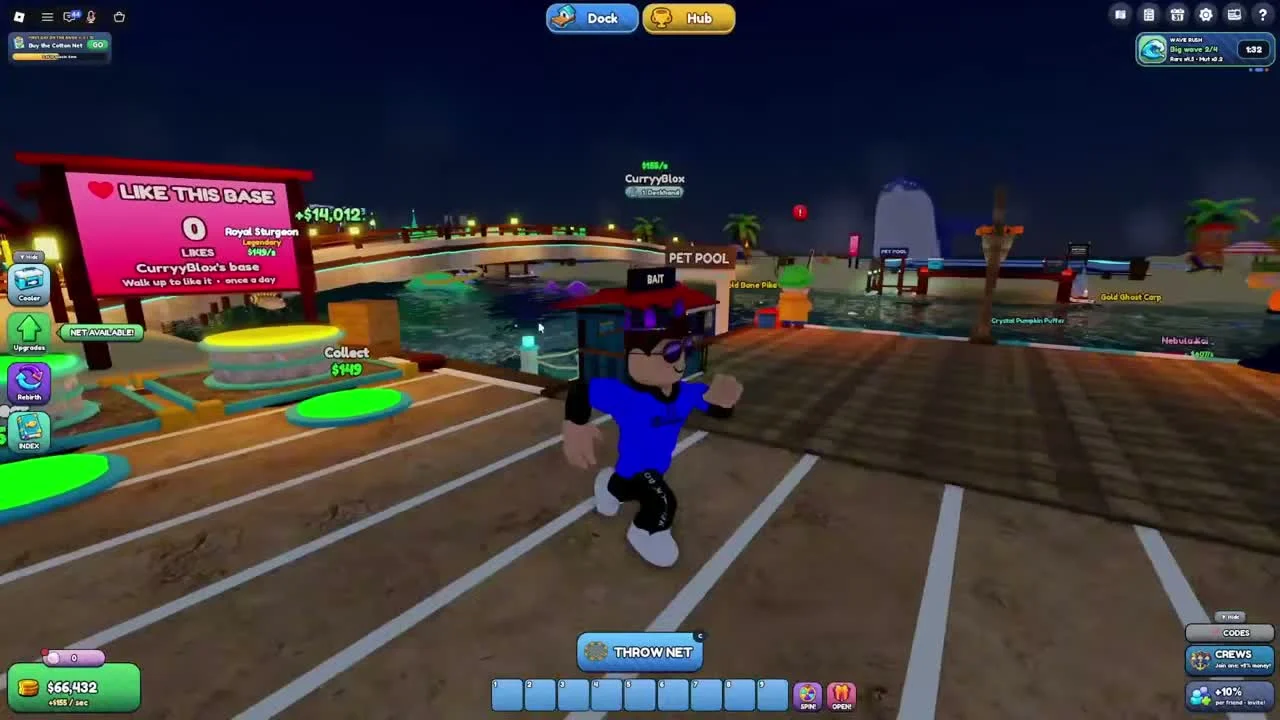
Open Cooler from the left side. Fish cards in the reviewed recording show their income if placed and separate Place, Take and Sell actions. Equip Best is also visible at the bottom.
- Success check
- Your pool and income display reflect the selected fish.
- If it remains unclear
- Compare the income shown on your candidates. Use Place or the current Equip Best option to improve the pool, then check the resulting income display. Keep valuable collection fish out of bulk selling until you understand the selection.
3. Collect income and buy your next upgrade
The developer confirms that showcased fish generate cash every second. In the recording, a green Collect pad sits beside the pool and shows an accumulating amount.
- Success check
- Collected cash is available for the intended upgrade.
- If it remains unclear
- Collect funds, open Upgrades and compare the next net with your current net. Read capacity, width, rarity limit and purchase prerequisites before spending.
4. Claim advertised codes carefully
Seven code strings appear in the current official description. The recording shows a CODES button at the lower right, above CREWS.
- Success check
- The game displays a response for the submitted code.
- If it remains unclear
- Open the current CODES interface, enter one advertised string exactly and read the result before moving to the next. Code rewards and successful redemption have not been tested by this site.
Scope and sources
Official description and reviewed gameplay checked November 4, 2026.
- For Net a Fish by UpdatesDev. Interfaces and balance can change with updates.